Is a Mitel Phone System the Right Choice for Your Business?

Choosing the right Mitel phone system is not just about replacing desk phones. It is about building a communication setup that supports how your team works, how your customers reach you, and how your business plans to grow. For many organizations, Mitel remains a familiar and trusted name in business communications because it offers flexible phone solutions for offices, mobile teams, contact centers, and hybrid work environments.

At High Country Workplace Technologies, we help businesses evaluate, install, manage, and support phone systems that fit their real-world needs. Whether you are upgrading an older system, comparing cloud and on-premises options, or trying to understand what your current Mitel platform means for the future, the right guidance can make the process much easier.

What Is a Mitel Phone System?

Mitel phone system

A Mitel phone system is a business communications platform designed to handle voice calling, call routing, voicemail, collaboration tools, mobility features, and more. Depending on the solution, Mitel can support traditional office phones, IP phones, softphones, remote users, and unified communications tools that help employees stay connected from different locations.

For businesses, this matters because phone systems are still one of the most important parts of customer service. A missed call, confusing menu, poor audio experience, or unreliable routing setup can affect sales, support, scheduling, and internal productivity. A well-planned Mitel solution helps organize those communication points into one easier-to-manage system.

Why Businesses Choose Mitel

Many businesses choose a Mitel phone system because Mitel offers a balance of reliability, flexibility, and business-grade features. Instead of relying on a basic phone line or disconnected tools, Mitel systems can bring communication features together in a more structured way.

Common benefits can include:

  • Call routing, voicemail, conferencing, and extension management
  • Support for office phones, mobile users, and remote employees
  • Scalable options for growing teams and multiple locations
  • Tools that help improve internal and external communication
  • Flexible deployment options depending on business needs

For companies that rely heavily on phone communication, these features can help create a smoother experience for both employees and customers.

Cloud, On-Premises, or Hybrid: Which Setup Makes Sense?

One of the biggest questions businesses have is whether they need a cloud-based, on-premises, or hybrid phone system. There is no one-size-fits-all answer. The right choice depends on your current infrastructure, budget, compliance needs, internet reliability, office setup, and long-term growth plans.

A cloud-based system may appeal to companies that want easier remote access, reduced on-site hardware, and flexible scalability. An on-premises system may still make sense for organizations that want more direct control over their infrastructure or have specific operational requirements. A hybrid setup can offer a practical middle ground for businesses that need flexibility while still maintaining certain on-site capabilities.

This is where working with an experienced provider matters. HCWT can help evaluate how your team communicates now, what challenges you are running into, and which Mitel phone system configuration is best aligned with your business goals.

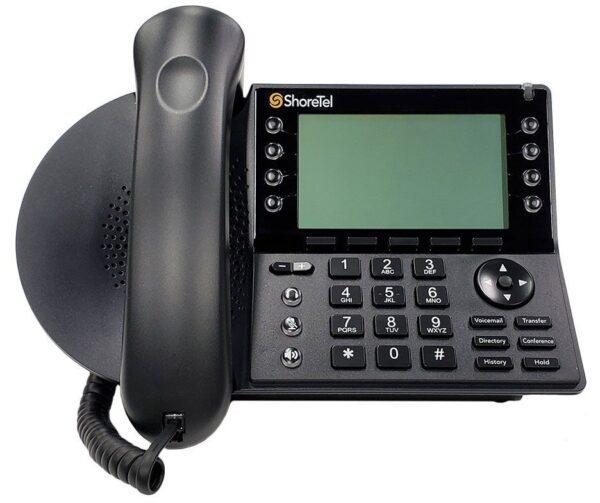
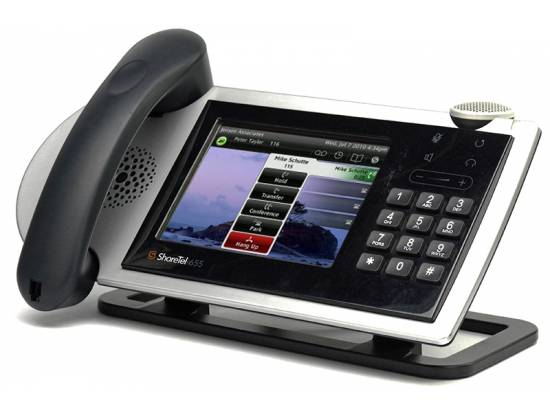
What About Existing Mitel or ShoreTel Systems?

Many businesses still use older Mitel or ShoreTel-based systems and are not sure what to do next. If your current phone system still works, it may be tempting to leave it alone. However, aging communications technology can create challenges over time, especially when it comes to support, licensing, hardware availability, integrations, and future compatibility.

If your business is using an older Mitel phone system, now is a smart time to review your options. That does not always mean replacing everything immediately. It may mean assessing your current system, identifying risks, planning a phased upgrade, or choosing a modern platform that fits your budget and timeline.

A proactive review can help you avoid last-minute decisions when support, parts, or software updates become more difficult to manage.

Signs Your Business May Need a Phone System Upgrade

Your phone system should make communication easier, not create friction for your team. If employees are working around the system instead of using it efficiently, that may be a sign it is time to take a closer look.

Your business may be ready to review its Mitel phone system if:

  • Calls are frequently missed, dropped, or routed incorrectly
  • Remote employees have trouble accessing business phone features
  • Your current system is difficult to manage or update
  • Customers experience long hold times or confusing call flows
  • You need better integration with modern workplace tools
  • Your business has grown beyond the system’s original design

Even small communication issues can add up over time. A modernized system can help your team respond faster, stay organized, and provide a more professional customer experience.

How HCWT Helps With Mitel Phone Systems

High Country Workplace Technologies brings a practical, service-focused approach to business communications. Instead of simply recommending a product, HCWT helps businesses understand what they actually need from their phone system.

That process may include reviewing your current setup, identifying communication pain points, comparing deployment options, planning upgrades, installing equipment, training users, and providing ongoing support. For businesses in Denver and beyond, HCWT’s experience with business phone systems makes the transition easier and less disruptive.

A Mitel phone system can be powerful, but the value depends on how well it is planned, configured, and supported. HCWT helps make sure your phone system is built around the way your business actually operates.

Is a Mitel Phone System Right for Your Business?

A Mitel phone system may be a strong fit if your business needs reliable calling, flexible communication tools, support for multiple users or locations, and a partner who can help manage the details. It can also be a smart option for companies that already use Mitel technology and want to understand their upgrade path.

The best next step is to review your current communication setup and compare it with your business goals. Are employees easy to reach? Are customers getting to the right person quickly? Is your system ready for growth, remote work, and future technology changes?

If the answer is unclear, HCWT can help. With the right guidance, your phone system can become more than a utility. It can become a stronger foundation for customer service, collaboration, and everyday productivity.

Talk to HCWT About Your Mitel Phone System

If you are considering a new Mitel phone system, reviewing an existing Mitel setup, or planning a phone system upgrade, High Country Workplace Technologies is here to help. Our team can walk you through your options, explain what makes sense for your business, and support you from planning through installation and beyond.

Contact HCWT today to learn more about Mitel business phone systems and find the right communication solution for your workplace.

Remote Work Technology: Essential Tools for a Productive and Connected Team

Remote work is no longer a temporary adjustment. For many businesses, it is now part of everyday operations. Whether employees work from home, travel between job sites, support customers in the field, or split time between the office and remote locations, the right remote work technology can make communication easier, data more secure, and daily work more productive.

At High Country Workplace Technologies, we help businesses build communication and workplace technology solutions that support the way modern teams actually work. That includes business phone systems, mobile communication tools, network connectivity, remote operations, cabling, fiber optics, and ongoing support designed around real business needs.

What Is Remote Work Technology?

Remote work technology refers to the tools, systems, and infrastructure that allow employees to work securely and effectively outside a traditional office. This can include cloud phone systems, video conferencing tools, secure internet connections, VPN access, collaboration platforms, mobile devices, business apps, and IT support.

The goal is not just to let people “log in from home.” The goal is to create a reliable work environment where employees can communicate, access information, serve customers, and stay connected without unnecessary friction.

When remote work technology is planned well, it helps businesses maintain consistency across locations. When it is pieced together without strategy, teams may deal with missed calls, poor audio quality, security gaps, disconnected apps, and support issues that slow everyone down.

1. Business Phone Systems and VoIP

A reliable phone system is one of the most important pieces of remote work technology. Voice communication still matters, especially for customer service, sales, scheduling, support, and internal coordination.

VoIP, or Voice over Internet Protocol, allows calls to travel over an internet connection instead of relying only on traditional phone lines. With a modern business phone system, employees can often make and receive work calls from desk phones, laptops, or mobile apps. This helps remote and hybrid teams stay reachable without giving out personal numbers or depending on inconsistent call forwarding.

For businesses, a cloud-based or remote-friendly phone system can support features such as call routing, voicemail, conferencing, mobile access, and unified communications. HCWT helps businesses evaluate business phone options that fit their size, location, workflow, and long-term needs.

2. Video Conferencing and Online Meetings

Video conferencing has become a standard part of remote work technology because it helps teams communicate face-to-face when they are not in the same room. Platforms like Microsoft Teams, Zoom, and Google Meet are commonly used for internal meetings, customer presentations, training, interviews, and project updates.

However, video meetings only work well when the supporting technology is reliable. Poor audio, weak internet, outdated devices, and confusing meeting tools can make collaboration harder instead of easier.

Businesses should think beyond the software itself. A strong remote meeting setup may also require quality headsets, webcams, conference room equipment, stable internet, and support for employees who need help connecting from different locations.

3. Cloud Collaboration Tools

Cloud-based collaboration tools allow employees to access files, share updates, manage tasks, and work together from different locations. These tools may include Microsoft 365, Google Workspace, shared drives, project management platforms, customer relationship management systems, and other business applications.

The value of cloud collaboration is that employees can work from the same information instead of sending files back and forth or storing important documents on individual computers. This helps reduce confusion, improve version control, and make information easier to find.

As part of a remote work technology plan, businesses should consider who needs access to which tools, how files are organized, how permissions are managed, and how data is backed up.

4. Secure Remote Access

Security is one of the most important parts of remote work technology. When employees work outside the office, they may connect through home networks, public Wi-Fi, personal devices, or mobile hotspots. Each of those access points can create risk if the right protections are not in place.

Secure remote access may include VPN solutions, multi-factor authentication, endpoint protection, password management, and clear user policies. A VPN can help create a protected connection between an employee and company resources, while multi-factor authentication adds another layer of protection beyond a password.

Businesses should also think about how remote devices are updated, monitored, and supported. Security should not depend on employees figuring everything out on their own. It should be built into the remote work environment from the beginning.

5. Laptops, Mobile Devices, and Endpoint Management

Remote employees need reliable devices to do their jobs. Laptops, tablets, smartphones, docking stations, headsets, monitors, and mobile apps can all be part of a functional remote setup.

But devices are not just productivity tools. They are also access points to company data. That is why endpoint management matters. Businesses need a way to keep devices updated, protected, and configured properly.

For some companies, that may mean company-owned devices with standard security settings. For others, it may include a bring-your-own-device policy with clear rules about access, updates, passwords, and approved applications. Either way, device management should be part of every remote work technology conversation.

6. Network Connectivity and Internet Reliability

Remote work depends on connectivity. If employees cannot connect, calls drop, meetings freeze, files fail to upload, and work slows down. That is why internet reliability, network design, cabling, and fiber optics still matter in a remote and hybrid work environment.

For businesses with multiple locations, remote sites, warehouses, field offices, or satellite offices, connectivity can become even more important. Remote sites may need to connect back to headquarters, operate independently, or securely share data between locations.

HCWT supports businesses with network connectivity solutions, including VPN or dedicated network connectivity, to help remote sites and office locations communicate effectively.

7. Cybersecurity Tools and Policies

The best remote work technology includes both tools and policies. Firewalls, endpoint protection, secure passwords, multi-factor authentication, VPNs, and access controls are important, but employees also need guidance on how to use them correctly.

Common cybersecurity needs for remote teams include:

  • Protecting devices from malware and unauthorized access
  • Securing remote connections to company systems
  • Limiting access based on job roles
  • Training employees to recognize phishing attempts
  • Creating clear policies for personal devices and public Wi-Fi

Remote work security should be practical and consistent. The goal is to protect the business without making everyday work unnecessarily difficult.

8. Ongoing IT and Communication Support

Even the best remote work technology needs support. Employees may need help setting up phones, accessing applications, troubleshooting connection issues, updating devices, or understanding new communication tools.

Without support, small technical issues can turn into productivity problems. A remote employee who cannot make calls, join meetings, or access files may lose hours of valuable work time.

HCWT helps businesses think through the full technology environment, not just one piece of it. From phone systems and mobile communication tools to remote operations and connectivity, the right support partner can help reduce downtime and make remote work easier to manage.

How to Choose the Right Remote Work Technology

The best remote work technology for your business depends on how your team communicates, where employees work, what systems they need to access, and how much flexibility your organization requires.

Before choosing tools, businesses should ask:

  • Do employees need business phone access outside the office?
  • Are remote workers using secure devices and connections?
  • Can teams easily access files and applications?
  • Are video meetings reliable and professional?
  • Do remote sites need to connect to headquarters?
  • Is there a support plan when technology issues happen?

Answering these questions helps prevent businesses from buying tools that do not work well together. A smarter approach is to build a connected technology plan that supports communication, security, productivity, and growth.

Build a Better Remote Work Environment With HCWT

Remote and hybrid work are here to stay, but they require more than a few apps and a laptop. Businesses need dependable communication tools, secure remote access, reliable connectivity, and support that keeps everything running smoothly.

High Country Workplace Technologies helps businesses create practical, scalable remote work technology solutions. Whether you need a better business phone system, mobile communication tools, remote site connectivity, or guidance on modernizing your workplace technology, HCWT can help you find the right fit.

Contact HCWT today to learn how the right remote work technology can help your team stay connected, productive, and prepared for the future.

Your Guide to the Best Remote Office Phone System

Toshiba Phone Systems. remote office phone system.

A remote office phone system is no longer just a temporary solution for work-from-home teams. In 2026, it is a core part of how modern businesses communicate across offices, home workspaces, mobile devices, and customer-facing teams. As hybrid work remains a top preference for many workers, businesses need communication tools that support flexibility without sacrificing call quality, professionalism, or productivity.

The best remote office phone system helps your team answer calls from anywhere, keep conversations connected across devices, and maintain a consistent business presence whether employees are in the office, at home, or on the road.

What is a remote office phone system?

A remote office phone system is a business phone solution that allows employees to make and receive work calls from virtually anywhere using an internet connection. In many cases, this means a cloud-based VoIP or UCaaS platform that connects desk phones, laptops, and mobile devices under one business phone environment.

Instead of being tied to a single office location, your team can access business calling features through apps, browser-based tools, or IP phones. That means calls can follow the user, not the desk.

For businesses in 2026, this matters because communication no longer happens in just one place. Teams move between home, headquarters, job sites, satellite offices, and travel schedules. A modern phone system needs to support that reality.

What kind of phone system is best for remote and hybrid teams?

For most businesses, a cloud-based phone system is the best choice for a remote or hybrid workforce. High Country Workplace Technologies highlights cloud-hosted VoIP, business phones, PBX support, and UCaaS solutions as part of its workplace technology offerings, giving businesses flexible options based on their size, infrastructure, and communication needs.

Cloud-based systems are often the preferred option because they are easier to scale, simpler to manage across multiple locations, and better suited for teams that need to stay reachable from different devices.

That does not mean every company has the exact same needs. Some organizations may still rely on PBX environments or need support extending the life of existing systems while planning a transition. A good provider helps you choose the right path based on how your business works today and where it is headed next.

Why cloud-based phone systems work so well in 2026

1. They support hybrid work without making communication feel scattered

Hybrid work is not just about letting people work from home. It is about creating a communication experience that feels seamless no matter where someone is working. A cloud-based remote office phone system helps employees use the same business number, voicemail, call routing, and contact tools whether they are at a desk or on a mobile app.

That consistency helps teams stay responsive and helps customers reach the right person without confusion.

2. They make it easier to manage multiple devices

In 2026, employees often switch between laptops, smartphones, headsets, and office phones throughout the day. A modern system lets them answer calls on the device that makes the most sense in the moment while still keeping the business identity intact.

This is especially useful for sales teams, service teams, leadership, and employees who split time between locations.

3. They improve flexibility without losing professionalism

Customers still expect a professional phone experience. They want clear audio, fast transfers, reliable routing, and easy access to the right department. High Country Workplace Technologies positions its business phone offerings around customized, scalable solutions that help businesses maintain that level of service while adapting to changing workplace needs.

A quality remote office phone system helps businesses stay polished even when their workforce is distributed.

4. They can support broader collaboration tools

Phone systems are no longer just about voice calls. Many businesses now want messaging, conferencing, voicemail integration, and collaboration tools tied together in one environment. HCWT’s UCaaS and conferencing solutions reflect that broader shift toward connected communication rather than isolated phone service.

That is important because teams work faster when communication tools are easier to access and manage in one place.

5. They can reduce complexity and long-term overhead

Traditional phone systems often come with more hardware dependencies and more limitations when teams are distributed. Cloud-hosted systems can simplify upkeep and reduce the burden of maintaining older infrastructure. HCWT’s hosted VoIP page specifically emphasizes reduced upkeep and avoiding costly hardware investments with managed cloud voice solutions.

For many businesses, that means fewer headaches for internal teams and a smoother experience for end users.

What should businesses look for in a remote office phone system?

When comparing options, look for a system that supports:

  • mobile and desktop access
  • call routing and voicemail features
  • scalability for growing teams
  • easy management across locations
  • conferencing and collaboration options
  • reliable support and service

The right remote office phone system should fit how your business actually communicates, not force your team into a rigid setup.

Choosing a better communication setup for the way people work now

The workplace in 2026 looks different than it did a few years ago. Even as some companies bring more employees back into the office, hybrid work remains a major part of how businesses attract talent, support productivity, and stay flexible.

That is why the best remote office phone system is not just about remote work. It is about business continuity, mobility, customer experience, and giving your team the tools to stay connected from anywhere.

If your business is evaluating new phone solutions, upgrading an aging system, or trying to better support a hybrid workforce, High Country Workplace Technologies offers business phones, cloud-hosted VoIP, PBX support, and unified communications solutions designed around real workplace needs.

Comcast Business Class Internet and Phone Services

Comcast Business Class Internet and Phone

When it comes to reliable, high-speed connectivity and communication for businesses, Comcast Business Class Internet and Phone services stand out. With years of experience in consultancy and project coordination, High Country is here to be your trusted agent and consultant for Comcast Business Services. We specialize in connecting businesses across the U.S. with industry-leading, affordable internet and phone solutions from Comcast.

comcast business class internet

Why go through the hassle of having to learn all of the protocols and processes when looking for this service. At no extra cost to your business, High Country is your #1 source to look for when your business is seeking Comcast Business Class service. Give us a call at 1-800-845-6780 or email us and we will see what Comcast Business Class internet and phone service will work best for your enterprise.  Service plans start as low as $59.95 per month and may be available in your building now!

Why Choose Comcast Business Class Internet and Phone?

Comcast Business Services offer high-speed internet solutions that have redefined connectivity in the corporate world. With a range of plans starting as low as $59.95 per month, businesses can access ultra-fast internet at a fraction of the cost of traditional providers. Recently, Comcast expanded their offerings to include advanced voice services, such as standard business lines, PRI T1 voice, and soon, SIP Trunking.

Avoid the complexity of managing multiple telecom providers or understanding intricate protocols. As your dedicated Comcast Business Class Internet and Phone representative, High Country streamlines the entire process—at no additional cost to you. Simply contact us to discuss a tailored internet and phone package for your organization.

comcast business phone

Comcast Business Class Internet and Phone: The Advantages

Comcast’s business internet services provide Ethernet connectivity, scalable up to 10Gbps, ensuring that even the most data-heavy operations run seamlessly. For large businesses, the ability to scale bandwidth can provide a critical advantage. And with Comcast’s business phone service, companies enjoy unlimited long-distance and speeds up to 64 times faster than T1, allowing you to focus on your core objectives without worrying about connectivity.

Key Benefits:

  • High-speed, scalable internet up to 10Gbps
  • Business phone service with unlimited long-distance
  • 24/7 Dedicated Business Class Support
  • 30-day money-back guarantee
  • Free communication and security tools

Take advantage of bundling Comcast Business Services for added savings, simplifying billing and support. With Comcast Business Class Internet and Phone at High Country Workplace Technologies, you’re getting a powerful combination that empowers your internet to work harder for your business.

How RingCentral Integrations Streamline Communication Across Your Software Stack

In today’s fast-paced business landscape, seamless communication and streamlined workflows are vital. At High  Country  Workplace  Technology (HCWT), we understand this, and that’s why our partnership with RingCentral brings you powerful RingCentral integrations that elevate how you connect, collaborate, and operate.

What Are RingCentral Integrations?

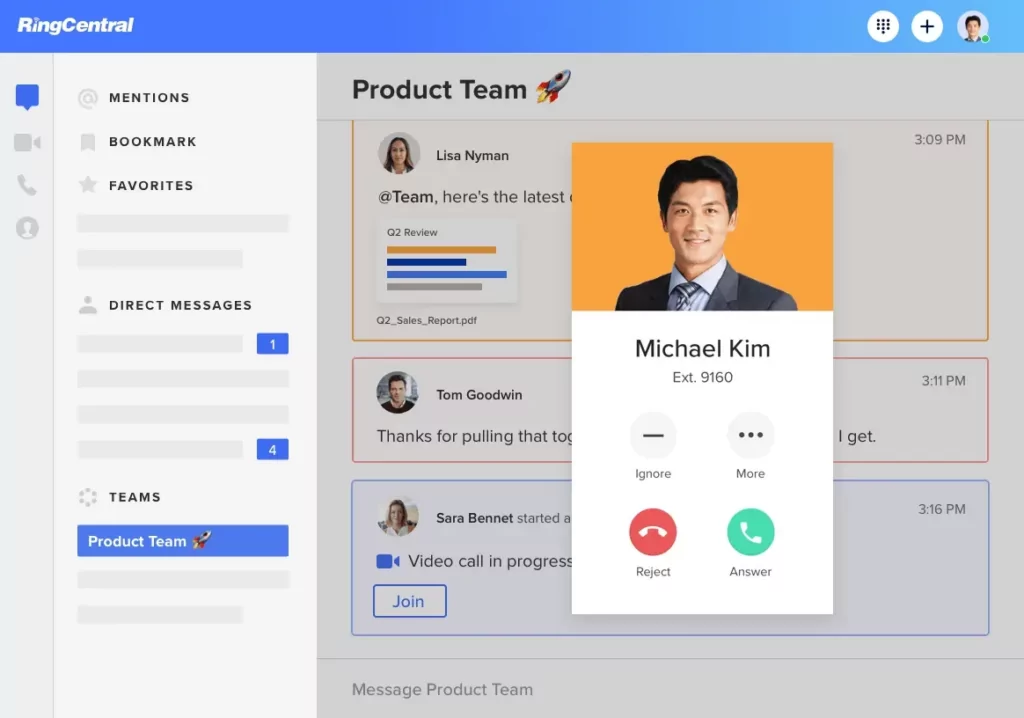
RingCentral integrations enable businesses to blend RingCentral’s robust cloud-based communication platform with the software tools you already rely on like CRMs, collaboration suites, and ERP platforms. Whether you’re looking to centralize communication workflows, eliminate app-switching, or supercharge productivity, RingCentral integrations make it possible. These integrations include over 500 pre-built connectors—and counting—that deliver calls, SMS, fax, video, and more into the apps your teams use daily.

How Do RingCentral Integrations Work?

RingCentral integrations are typically delivered via native connectors built into RingCentral’s open platform or through partner APIs. Here’s how they function:

  1. Installation & Setup – Most integrations simply require enabling a RingCentral app within your target platform (such as Microsoft Teams or Salesforce) and authenticating with your RingCentral account.
  2. In‑App Functionality – Once connected, you can place calls, send SMS/fax messages, schedule meetings, and access voicemails right from within your CRM or collaboration tool.
  3. Unified Data Flow – Actions like call logs, recordings, and presence sync across systems, so your communication data lives where you need it. Eliminating the need for manual transfer or duplication.
  4. Advanced Features – Many integrations also deliver AI‑powered insights, analytics dashboards, click‑to‑call, screen pops, and more, enhancing visibility and efficiency.
RingCentral integrations

Top RingCentral Integrations We Recommend

Here are four of the most impactful RingCentral integrations for modern businesses, available through HCWT:

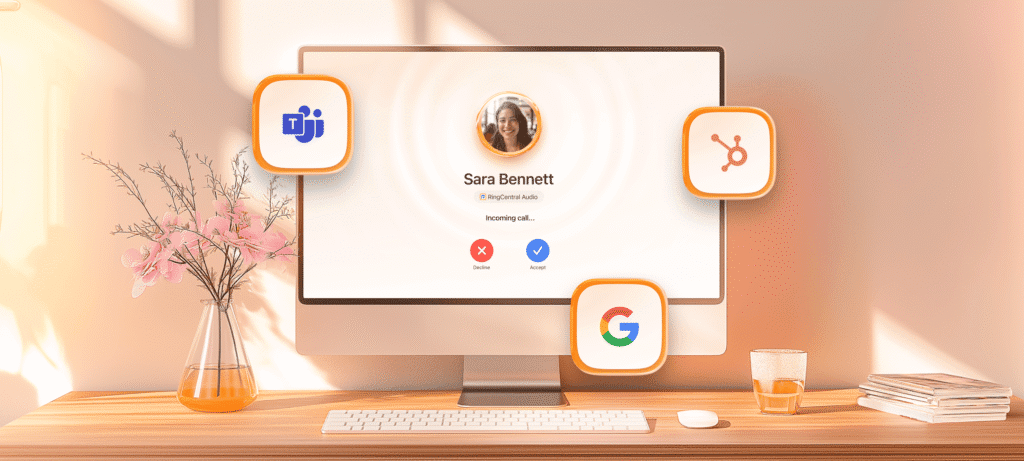
1. Microsoft Teams + RingCentral

  • What it offers: Embed RingCentral calling, fax, SMS, AI‑driven call notes, and routing directly inside Microsoft Teams. No more hopping between apps.
  • Why it matters: Reduces total cost of ownership, streamlines communication workflows, and ensures business continuity with enterprise-grade reliability and advanced dialing features.
  • Setup: Install the “RingCentral for Microsoft Teams” app, log in to both platforms, and you’re ready to go at no extra Microsoft calling license required.

2. NetSuite + RingCentral

  • What it offers: Click‑to‑dial directly from NetSuite records, automatic call logging, and seamless call assignments all within your ERP.
  • Why it matters: Empowers sales, support, and operations teams to stay focused on customer engagement without leaving NetSuite’s interface.

3. HubSpot + RingCentral

  • What it offers: Comprehensive call management, click‑to‑call, access to texts, voicemails, and faxes right from HubSpot’s CRM interface. Plus, RingCentral’s latest tools like RingEX for sales, RingCX for support, and Events integration bring AI-driven engagement and event follow-up capabilities.
  • Why it matters: Streamlines sales and service workflows and amplifies customer interaction visibility so users stay productive in one platform.

4. Salesforce + RingCentral

  • What it offers: In-app calling with screen pops for incoming calls, meeting scheduling synced with Salesforce calendars, call logging, note-taking, and RingCentral Video all without leaving the Salesforce CRM.
  • Why it matters: Delivers smoother, more personalized sales and service experiences while unifying communication and customer data.

Why HCWT Embraces These RingCentral Integrations

When choosing RingCentral integrations, HCWT aims to deliver solutions that:

  • Boost Productivity – Users stay in one platform and get more done efficiently.
  • Enhance Customer Experience – Instant visibility and seamless interaction lead to rapid, informed responses.
  • Unify Communications – Voice, video, SMS, and fax are accessible in BCWT’s CRM and collaboration ecosystems.
  • Leverage AI and Analytics – Gain insights on call activity, team performance, and customer interactions.
  • Ensure Business Continuity – Robust cloud-based infrastructure keeps communication flowing even during disruptions.

Why High Country Workplace Technology?

At HCWT, our mission is to deliver unified communication solutions that feel intuitive, dependable, and powerful. By championing RingCentral integrations, we help you:

  • Set up integrations with confidence and minimal effort.
  • Customize workflows tailored to your business needs.
  • Train teams to get the most value from unified communication systems.
  • Provide ongoing support and ensure seamless performance.

Whether you’re looking to transform your teams’ collaboration or streamline customer engagement, our deep expertise ensures your RingCentral integrations work flawlessly.

Phone Systems Denver: Comprehensive Business Solutions from HCWT

In today’s competitive business environment, seamless communication is critical to staying connected with customers, partners, and employees. For companies across Colorado, finding reliable and cost-effective phone systems Denver solutions is more important than ever. High Country Wireless Technologies (HCWT) delivers advanced communication tools tailored to your unique operational needs, helping your team work smarter and stay connected from anywhere.

Why Choose HCWT for Phone Systems Denver?

HCWT has earned a trusted reputation for delivering cutting-edge phone systems Denver solutions that balance performance, reliability, and scalability. Whether you’re a small business looking for basic functionality or a growing enterprise needing robust unified communications, HCWT provides systems that evolve with your business. Our goal is simple: ensure every call, message, and meeting runs smoothly so your team can focus on what matters most, serving your customers.

Business Phones: Simplify Everyday Communication

Modern business phones are no longer just about making and receiving calls. HCWT has created phone systems Denver businesses rely on with options that include feature-rich business phones designed to improve daily workflows. These devices support voicemail-to-email, call forwarding, conferencing, and mobile integration, making them ideal for hybrid or remote teams. With customizable hardware and software solutions, you can equip every employee with the right tools for their role, whether on the road or in the office.

PBX Systems: Powerful, On-Premise Control

For businesses requiring full control over their communications, HCWT offers phone systems Denver solutions with PBX (Private Branch Exchange) technology. PBX systems route internal and external calls efficiently, reduce costs, and allow for advanced features like call queuing and auto-attendant menus. This solution is especially beneficial for companies with large call volumes or those needing tight integration with existing infrastructure. HCWT specializes in installing and maintaining PBX systems that are secure, reliable, and scalable for future growth.

business phone. phone systems denver

UCaaS: Unified Communications as a Service

If flexibility and mobility are priorities, HCWT’s phone systems Denver include UCaaS (Unified Communications as a Service). UCaaS consolidates multiple communication tools—voice, video, messaging, and file sharing—into one easy-to-use cloud platform. This eliminates the need for multiple vendors and simplifies collaboration across locations. Employees can connect from their desktops, smartphones, or tablets, ensuring seamless communication no matter where work happens.

Telephone Analytics: Insights for Smarter Decisions

Understanding how your team uses its phone system is key to optimizing customer interactions and boosting efficiency. HCWT’s phone systems Denver feature robust telephone analytics that track call volume, duration, wait times, and more. These insights help identify staffing needs, improve response times, and enhance overall customer satisfaction. By leveraging analytics, businesses can turn raw call data into actionable strategies for growth and service improvement.

Benefits of Partnering with HCWT

Choosing HCWT for your phone systems Denver means working with a local provider who understands the unique needs of Colorado businesses. We offer:

  • Expert Support: From consultation to installation and ongoing service.
  • Customized Solutions: Tailored configurations to fit your company size and industry.
  • Scalable Technology: Systems that grow with your business needs.
  • Proven Reliability: Solutions built for uptime and consistent performance.

Upgrade Your Communications Today

Effective communication is the backbone of every successful business. With HCWT’s phone systems Denver, you gain access to modern technology, personalized service, and ongoing support to keep your team connected. Whether you need a simple business phone setup, a robust PBX system, cloud-based UCaaS, or powerful analytics, HCWT delivers solutions that work for your company today and scale for tomorrow.

Explore our Business Phones, PBX Systems, UCaaS, and Telephone Analytics to see how we can transform your communications. Contact HCWT today to get started with the leading phone systems Denver has to offer.

What Is a PBX System? A Complete Guide from High Country Workplace Technologies

When businesses think about efficient communication, the first question they often ask is: What is a PBX system? Whether you’re a startup or an enterprise-level organization, having a reliable, scalable, and cost-effective phone system is critical. At High Country Workplace Technologies, we’ve helped organizations modernize and maintain their communication infrastructure for over 30 years. In this guide, we’ll break down what a PBX system is, how it works, and what your options are—so you can make the right decision for your workplace.

What Is a PBX System?

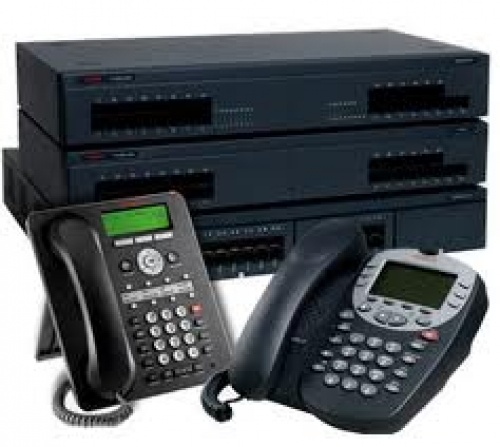
So, what is a PBX system? PBX stands for Private Branch Exchange, a private telephone network used within an organization. With a PBX system, internal communication is managed through extensions, and external calls are routed through various channels like VoIP, analog lines, or digital lines.

Avaya IP Office Phone Systems. what is a pbx system

PBX systems allow employees to communicate internally without using external phone lines, manage incoming/outgoing calls efficiently, and incorporate advanced features like voicemail, call forwarding, IVR (Interactive Voice Response), call recording, and more.

Whether you run a small business or a large corporation, understanding what is a PBX system and how it fits into your operations can help improve communication and boost productivity.

Types of PBX Systems

Understanding what a PBX system is also means knowing the different types available. There are three primary categories: On-Premise PBX, Virtual PBX, and Hybrid PBX systems.

On-Premise PBX Systems

An on-premise PBX system is installed at your physical location. All hardware including servers, phones, and wiring is housed and maintained on-site.

  • Pros: Full control, high reliability, customizable
  • Cons: Higher upfront cost, ongoing maintenance required
  • Best for: Businesses that require tight control over data and operations

Many organizations still rely on on-prem PBX systems like the Avaya Definity or Nortel Option Series, and if you’re wondering what is a PBX system like these, think of them as powerful, standalone call management tools with long-term value—especially when supported by maintenance experts like High Country.

Virtual PBX (Cloud PBX)

A virtual PBX system, also called cloud PBX, is hosted in the cloud and accessed over the internet. There’s no need for bulky hardware—just a strong internet connection and compatible devices.

  • Pros: Scalability, lower costs, minimal hardware
  • Cons: Dependent on internet quality
  • Best for: Growing or remote-first companies

What is a PBX system in the cloud? It’s a next-gen solution offering features like voicemail-to-email, mobile integration, video conferencing, and analytics—making it ideal for hybrid and remote teams.

Hybrid PBX Systems

A hybrid PBX system combines the best of both on-premise and virtual systems. It allows businesses to keep their current infrastructure while integrating cloud-based features.

  • Pros: Flexibility, gradual transition to cloud, minimal disruption
  • Cons: Slightly more complex setup
  • Best for: Businesses that want modernization without full replacement

If you’re evaluating what is a PBX system that balances performance and flexibility, hybrid systems might be your best solution—especially during transitional periods.

How High Country Supports PBX Systems

At High Country Workplace Technologies, we specialize in helping businesses understand what is a PBX system and how to get the most out of it. We provide:

  • PBX System Maintenance: Keep legacy systems like Avaya and Nortel running efficiently
  • Dual Integration Solutions: Seamless transitions between old and new systems
  • Crash Kits: On-site hardware kits for mission-critical operations
  • 24/7 Support: Reliable service contracts tailored to your business

Why Choose High Country?

Still wondering what is a PBX system and why you should modernize yours with High Country? Here’s what sets us apart:

  • Over 30 Years of Experience: Family-owned and operated, we deliver expertise with integrity.
  • Custom-Tailored Solutions: No cookie-cutter packages—just what you need, when you need it.
  • Nationwide Service: Whether you’re in Colorado or across the country, we’ve got you covered.
  • Complete Project Coordination: We manage every aspect of your PBX system integration or upgrade.

Is a PBX System Right for Your Business?

To summarize: what is a PBX system? It’s a private telephone network that can streamline communications, reduce costs, and improve efficiency. Whether you choose an on-premise, virtual, or hybrid PBX system, the right solution depends on your organization’s needs, goals, and infrastructure.

At High Country Workplace Technologies, we’re here to make that decision easier with expert guidance, dependable service, and cutting-edge solutions. Ready to upgrade your communication systems or maintain your existing infrastructure?

Contact us today to discover how High Country can deliver modern PBX solutions with a personal touch.

Finding The Best SIP Phone Service Providers In Denver, CO

Your business phone system is a crucial component of your operation, acting as the backbone of your communication infrastructure. It’s vital to employ technology that not only matches your current needs but also grows with your business. SIP trunking is a modern solution that can save costs and enhance the quality of your phone operations. For businesses in Denver, CO, selecting the right SIP phone service providers is essential for leveraging this technology effectively.

Understanding SIP Trunking

SIP trunking utilizes the Session Initiation Protocol (SIP) to transmit voice communications over the internet, enabling Voice over Internet Protocol (VoIP) technology. This virtual phone line solution is cost-effective compared to traditional public switched telephone networks (PSTN), offering significant reductions in overhead costs and improving business operations. Businesses across Denver are already benefiting, indicating its effectiveness and reliability.

Pros and Cons of SIP Trunking

Before diving into the selection process for SIP phone service providers in Denver, CO, it’s crucial to understand the advantages and disadvantages of SIP trunking:

Pros:

sip trunking
  • Cost Efficiency: One of the most compelling advantages is its ability to slash telecommunication costs. By bypassing traditional phone lines and long-distance charges, businesses can enjoy substantial savings.
  • Enhanced Productivity: With features that support unified communications, it enables employees to stay connected regardless of location, fostering a more flexible and productive workforce.
  • Scalability and Flexibility: SIP trunking allows businesses to scale their phone systems up or down with ease, accommodating growth or seasonal fluctuations without the need for extensive infrastructure changes.
  • Reliability: Properly configured systems can offer enhanced reliability and business continuity options, ensuring communication lines remain open even in emergencies.

Cons:

  • Internet Dependence: The performance of SIP trunking is heavily reliant on the quality of the internet connection. Insufficient bandwidth can lead to call quality issues.
  • Security Vulnerabilities: Without adequate security measures, systems may be exposed to risks such as hacking and eavesdropping. Implementing strong security protocols is essential.

Is SIP Trunking Still Relevant?

Despite the emergence of various communication technologies, SIP trunking continues to hold its ground as a relevant and vital solution for businesses. Its adaptability, cost savings, and support for remote work align perfectly with the evolving needs of modern companies. As the business world becomes increasingly digital, the demand for efficient, scalable communication solutions like SIP trunking is expected to grow.

Selecting SIP Phone Service Providers in Denver, CO

Choosing a provider is a critical step in leveraging the benefits of SIP trunking. Businesses should consider the following factors:

Comprehensive Reliability Strategies:

Technology is not foolproof. There are countless reasons phone service may fail, so when you’re vetting SIP phone service providers in Denver, CO, you want to dive deep into the measures they take to ensure reliability. Ask about backup hardware, internet connection, and locations to make sure your phone service stays working during emergencies.

Rich Feature Add-Ons:

SIP phone service

The next thing you’ll want to ask any SIP phone service providers you’re considering hiring is what add-on features they can offer to your business. The add-ons available vary widely depending on the provider.

As a potential customer, you want to have an idea of the necessary add-ons so you can confirm that the providers you’re considering hiring can help you. Features like caller ID, voicemail to email transcription, call forwarding, IVR, and video chat can all be added with the help of an experienced provider.

Scalable Solutions:

Your business is bound to change in size and shape over the years. It’s essential that you work with SIP phone service providers in Denver that can accommodate your future plans for your business.

Be sure to ask about the protocols the provider in question have in place to support scaling your technology to your business. Ask how many users are covered in your agreements. Inquire about how changes in staff numbers might impact your agreements. Also, find out about any extra fees your business might face as your employee count and bandwidth requirements change.

Advanced Security Measures:

Secure technology is absolutely essential to your business – no matter the level of confidentiality your data might carry. You want to find SIP phone service providers in Denver, CO that are well-versed in securing data and protecting it against the constantly evolving world of cybercrime.

Unified Communications Support:

Many companies don’t consolidate their various communications services, which leads to higher costs and more technological issues. It can be a highly beneficial addition to your business communications if it’s deployed correctly. Ask SIP phone service providers about communication options for your business before hiring them.

Exceptional Customer Service:

SIP trunking customer service

Nothing is more important to your technology experience than the quality of service offered by your providers. You not only want to dig into the details of your service level agreements, but you also want to get a clear picture of what long-term technical support from the service providers you’re hiring will look like.

Your Trusted SIP Phone Service Providers In Denver, CO

HCWT stands out as a premier SIP phone service provider in Denver, CO, committed to delivering customized solutions that meet the unique needs of each business. We are experts in SIP trunking.

We provide high-quality service. This makes us the perfect partner for companies looking to improve their communication systems. By choosing HCWT, businesses can confidently step into the future of telecommunications, supported by a provider that understands their needs and is equipped to help them thrive in the digital age.

As SIP trunking continues to prove its relevance and value in the modern business landscape, selecting the right service provider is more crucial than ever. It helps businesses save money, grow, and communicate better, giving them what they need to be successful. Companies in Denver, CO, have the opportunity to transform their telecommunications strategy with SIP trunking, paving the way for greater efficiency, connectivity, and growth.

6 Benefits of Business Fiber Optic Internet in Denver

6 Benefits of Business Fiber Optic Internet in Denver

In today’s hyper-connected world, reliable internet is incredibly important. Although relatively new, business fiber optic internet is becoming an increasingly popular option for Denver-area offices. If you’re currently using broadband or copper cable for your internet, your business could benefit greatly by switching to fiber optic internet. This internet package has plenty of unique advantages over traditional options. Let’s examine the top seven reasons to consider making the switch to fiber optic internet.

1. Faster speed

Fiber optic internet is much faster than even the highest-speed broadband or copper internet connections. With options ranging from 5 Mbps to 100 Gbps, fiber optic internet makes file uploads and downloads and video conferencing much faster and more reliable.

It’s estimated that slow internet connections account for a loss of one week per year of productivity. That’s an awful lot of time! With fiber optic internet, your employees won’t have to wait on lagging internet connections and can gain that week back.

2. Stronger signal strength

If your business is using DSL or ethernet, you’ve probably noticed how signal strength degrades the further you are from the modem. With fiber optic internet, that distance is no longer an issue. You’ll be able to host video conferences from any corner of the office. If your business operates in a large office space, switching could be especially beneficial for you and your employees.

3. Increased security

Cybersecurity is one of the most concerning issues for businesses, outranking medical cost inflation, employee benefits costs, and employee acquisition and retention. And after a 300% increase in small business cyber attacks since 2015, it’s no wonder why.

Hackers are easily able to tap into copper internet cables and access private information, which can be extremely costly for your business. But with fiber optic internet, the only way hackers can access your information is by physically cutting the fibers, which will drop the signal. It’s a much better option to protect your business from security breaches.

4. More bandwidth

If your business deals with data transmission, it doesn’t take much to hit the cap with cable internet bandwidth. Although not technically unlimited, fiber optic bandwidth is significantly higher than traditional internet options and it doesn’t decrease when high demands are put on the network.

5. Easier Cloud access

Between customer relationship management (CRM) tools and data storage software, the cloud has become incredibly important for businesses. As of 2020, it’s estimated that 94% of organizations use cloud services in some capacity. With increased speed and more bandwidth from fiber optic internet, your employees can more easily access apps and SaaS tools stored in the cloud.

6. Cost-savings

Since its inception, the cost of fiber optic internet has significantly decreased. Although fiber optic internet often has upfront installation costs that can seem expensive, it’s actually already become more affordable than the alternatives in many cases.

By switching to fiber optics, your SaaS, cloud storage, and VoIP all gain better support. This enhanced support will lead to long-term cost savings and scalability.

Switch to business fiber optic internet in Denver today

It’s easy to see why business fiber optic internet is the top choice for Denver-area offices. If you’re ready to make the switch, reach out to us at High Country Workplace Technologies. We are your number one source for workplace internet solutions.

Contact us today to get started on your switch to fiber optic internet.

Toshiba Phone Systems and Manuals

Toshiba Phone Systems

High Country Wireless is a Platinum Toshiba Phone Systems Dealer, offering expert support and service across Colorado, New Mexico, Wyoming, and Montana. As part of the Toshiba network, we provide access to service and systems nationwide.  Toshiba Phone Systems power businesses everywhere with features like centralized billing, a single point of contact, and the industry’s most comprehensive warranty. These systems deliver collaboration, transparency, and investment protection to help your business thrive. Need service or support? Call our sales or service team today at 1.800.845.6780. Our certified Toshiba technicians are ready to handle all your Toshiba Phone Systems questions and needs.

Toshiba Phone Systems & Manuals

Toshiba Phone Systems – Strata CIX

  • Strata CIX40 (Up to 24 Users)
  • Strata CIX100 (Up to 72 Users)
  • Strata CIX200 (Up to 160 Users)
  • Strata CIX670 (Up to 560 Users)
  • Strata CIX1200 (Up to 1000 Users)

Toshiba Phone Systems –  Strata CIX40

Toshiba’s Strata® CIX40 gives your small business, enterprise branch, or retail locations powerful IP capabilities. It can be configured with a variety of endpoints, including Toshiba Business Phones, digital telephones, SoftIPT® for PDAs, laptops, or desktop PCs, wireless and cordless telephones. With easy call handling, scalability, and comprehensive features that enable you to work the way you want, the Strata® CIX40 will drive business process integration, create efficiencies, and maximize return on investment.

Advanced Features and Capabilities

  • Base configuration of 8, 16, or 24 IP channels for IP telephone connections, SIP trunks, and IP Strata Net multi-system networking
  • 4-11 trunks with Caller ID
  • 8-16 digital telephones
  • Voice Mail and Auto Attendant of 4, 6, or 8 ports enabling message call monitoring, LCD feature prompting, soft keys, call recording and more
  • Call Center features allow users to answer incoming customer calls with utmost efficiency
  • Advanced Voice Mail Applications can be added to fit your business needs
  • Mobility solutions available with integrated SoftIPT®, cordless and wireless telephones, gives you full telephone functionality outside the office
  • Fully upgradeable, protecting your technology investment

Toshiba Phone Systems –  Strata CIX100

Small to medium businesses need a flexible telecommunication system that can easily adapt to their growing needs. Toshiba’s Strata® CIX™100 is designed to provide the exact features your business needs today and in the future. This makes it the ultimate cost-effective solution for your business and enterprise branch locations. Our systems can be configured with a variety of communication endpoints, including IP telephones, digital telephones, SoftIPT® for PDAs, laptops or desktop PCs, and wireless and cordless telephones.

Advanced Features and Capabilities

Toshiba’s IP business communication systems provide optimum solutions for any sized business whether you need a basic telephone system or one with advanced capabilities.

  • Expandable up to 112 ports-and even more by networking multiple IP systems with Strata Net multi-system networking
  • Call Center features allow you to answer incoming customer calls with utmost efficiency
  • Advanced voice mail applications can be added to fit your business needs
  • Mobility solutions with integrated Toshiba PBX System, SoftIPT, cordless, and wireless telephones
  • Fully upgradeable, protecting your technology investment

Toshiba Phone Systems – Strata CIX670

The Toshiba Phone Systems Strata® CIX670 business communications system is the ideal solution for headquarters networked with small or remote offices, retail stores, or restaurant locations. It unifies, coordinates, and streamlines your communications, offering comprehensive telecommunication solutions tailored to your needs. Enhance productivity and customer service with advanced options like voice mail, auto attendant, unified messaging, automatic call distribution, voice over internet protocol, Strata Net multi-system networking, Strata Call Manager unified communications, and FeatureFlex™ customization tools.

Advanced Features and Capabilities

Supporting up to 672 ports, the Strata CIX670 system is designed for up to 560 users and can be networked with other Strata CIX systems, from another CIX1200 down to the CIX40.  The system integrates voice, data networking, and applications solutions to deliver a superior return on your investment.

  • Expandable up to 672 ports-and even more by networking multiple IP systems with Strata Net multi-system networking
  • Voice Mail and voice processing capabilities include Auto Attendant, Voice Mail, Unified Messaging, Automated Speech Recognition (ASR), Text-to-Speech (TTS), and Interactive Voice Response (IVR) capabilities
  • Call Center features allow you to answer incoming customer calls with utmost efficiency
  • Advanced Voice Mail Applications can be added to fit your business needs
  • Mobility solutions with integrated Toshiba PBX System, SoftIPT, cordless, and wireless telephones
  • Fully upgradeable, protecting your technology investment

Toshiba Phone Systems – Strata CIX1200

The Toshiba Strata® CIX™ 1200 business communications system is an ideal solution for headquarters connected to small or remote offices, retail stores, or restaurant locations. It unifies, coordinates, and streamlines your communications, offering comprehensive solutions for a wide range of telecommunication needs. Enhance productivity and customer service with features like voice mail, auto attendant, unified messaging, automatic call distribution, voice over internet protocol, Strata Net multi-system networking, Strata Call Manager unified communications, FeatureFlex™ customization tools, and more.

Advanced Features and Capabilities

The Strata CIX1200 system supports up to 1,152 ports and 1,000 users, with the ability to network with other Strata CIX systems, from the CIX40 to additional CIX1200 units, across up to 128 sites. It integrates voice, data networking, and application solutions to maximize your return on investment.

  • Expandable up to 1,152 ports-and even more by networking multiple IP systems with Strata Net multi-system networking
  • Voice Mail and voice processing capabilities include Auto Attendant, Voice Mail, Unified Messaging, Automated Speech Recognition (ASR), Text-to-Speech (TTS), and Interactive Voice Response (IVR) capabilities
  • Call Center features allow you to answer incoming customer calls with utmost efficiency
  • Advanced Voice Mail Applications can be added to fit your business needs
  • Mobility solutions available with integrated SoftIPT, cordless and wireless telephones, gives you full telephone functionality outside the office
  • Fully upgradeable, protecting your technology investment

Toshiba Phone Systems – IPedge and VIP Edge

Your Toshiba Business Phones provide the connectivity necessary to attract customers, boost productivity, save costs, and improve satisfaction. The Toshiba PBX System delivers performance-driven IP architecture, unified communication applications, centralized management, and mobility. Designed to integrate business processes, it maximizes ROI while reducing costs. Toshiba’s networking technology ensures seamless connectivity between multiple locations, improving operational efficiency and business expansion.