
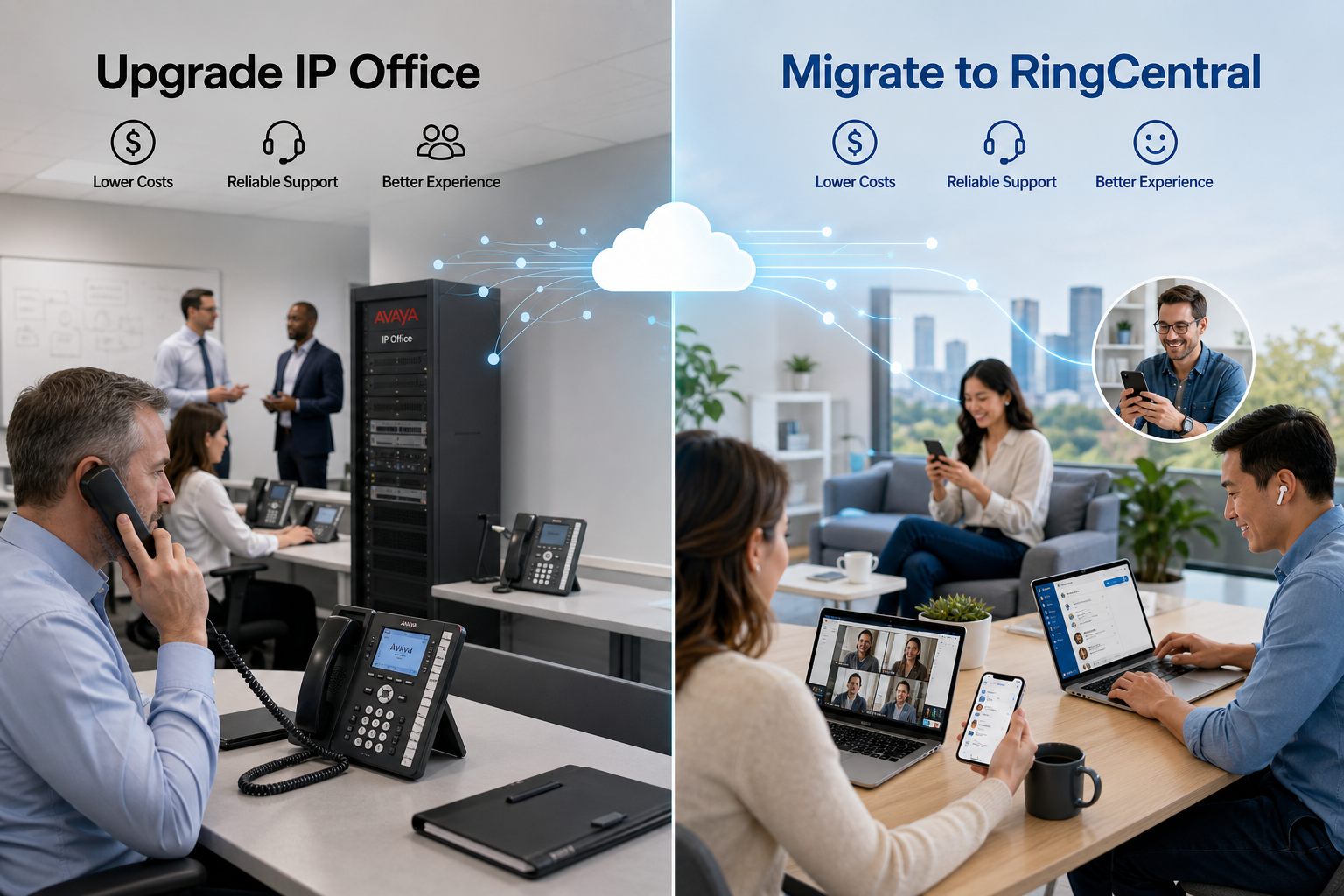
 How to decide whether to modernize an existing IP Office system or move communications to the cloud
Organizations still operating Avaya IP Office Release 11 face a real decision. They can upgrade the system to the latest supported IP Office release, or they can use the required investment as an opportunity to migrate to RingCentral.
This is not simply a comparison of an old phone system with a new one. Both paths can be valid. An IP Office upgrade protects an existing investment and may cause less short-term disruption. A RingCentral migration replaces on-premises communications infrastructure with a continually updated cloud platform and can reduce the long-term burden of maintaining servers, gateways, software and remote-access components.
The best choice depends on the condition of the existing system, the features the organization actually uses, its appetite for change and its plans for the next five to seven years.
Important version note: As of September 2026, Avaya's public documentation identifies IP Office Release 12.3 as the current documented release. Organizations considering an upgrade described by a reseller as “Release 13” should confirm the exact target release, availability, licensing and supported upgrade path before approving the project.
Why remaining on IP Office Release 11 is increasingly difficult
Avaya ended critical patch and service-pack support for IP Office Release 11.1 and earlier on August 12, 2024. The final Release 11 service pack was identified as Release 11.1.3.2. A system may continue to place and receive calls after support ends, but operational risk increases as time passes.
The primary concern is not that every Release 11 system will suddenly stop working. The concern is that the organization is relying on software that no longer receives the same level of correction, compatibility testing and security maintenance. A future failure, certificate issue, browser change, SIP-provider change or hardware replacement may become more difficult to resolve.
Organizations should also consider whether the surrounding components remain supported. Voicemail Pro, one-X Portal, Avaya Workplace, Windows servers, virtual-machine hosts, SIP trunks, certificates, phones and third-party applications can each affect the viability of the system.
Doing nothing may appear to be the least expensive option, but it is not a long-term modernization strategy.
Avaya's change in strategic direction matters
The decision cannot be based only on whether the latest IP Office software works. Customers must also consider where Avaya is directing its corporate attention, product investment and service resources.
Avaya's current corporate messaging is centered on the world's largest organizations, enterprise customer experience, contact centers, artificial intelligence and mission-critical voice. Industry reporting has described the strategy as a refocus on Avaya's roughly 1,500 largest global customers and on enterprise platforms such as Communication Manager and Avaya's contact-center portfolio.
That does not mean Avaya has formally discontinued IP Office. Avaya continues to publish IP Office documentation and software releases, and it still markets IP Office as an on-premises communications system for small and midsize organizations. Release 12.3 demonstrates that the product is still being maintained.
However, continued maintenance is not the same as being at the center of a vendor's long-term growth strategy. IP Office customers should evaluate not only whether another release is available, but also the pace and depth of future innovation, the availability of Avaya engineering resources, the escalation path for difficult cases and the likelihood that compatible applications, phones and third-party integrations will remain easy to obtain and support.
The growing importance of the Avaya business partner
As Avaya concentrates more of its direct attention on its largest enterprise accounts, smaller and midsize IP Office customers are becoming more dependent on their Avaya business partner. The partner may increasingly be expected to provide the relationship, system knowledge, troubleshooting, lifecycle planning and first-line service that customers once assumed would be backed more visibly by the manufacturer.
Strong partners can fill a significant portion of that gap. An experienced IP Office partner can maintain system documentation, retain trained engineers, stock or source replacement equipment, manage upgrades, resolve carrier problems and advocate for the customer when manufacturer escalation is necessary.
But the partner cannot fully replace the manufacturer. A partner does not control Avaya's engineering priorities, product roadmap, software defect corrections, security patches, licensing policies, hardware availability or end-of-support decisions. It is also becoming more expensive for partners to preserve specialized IP Office expertise as the installed base ages and fewer new systems are deployed.
This creates an important question for every Release 11 customer: Are we upgrading because IP Office remains the best strategic platform for our organization, or because our partner is being asked to keep an aging platform viable while Avaya directs its primary attention elsewhere?
The quality and long-term commitment of the supporting partner should therefore be treated as part of the platform evaluation. Customers considering an IP Office upgrade should ask who will provide Tier 1, Tier 2 and manufacturer escalation support; what response commitments are included; how many qualified IP Office engineers remain available; and what happens if the current partner can no longer support the system.
Option 1 Upgrade Avaya IP Office
Upgrading IP Office can be a sensible choice when the existing system still fits the organization well and the goal is to extend its useful life without redesigning communications.
Merits of upgrading IP Office
Preserve familiar call handling. Receptionists, hunt groups, short codes, button programming, paging, analog devices and other workflows can often remain substantially the same. This reduces retraining and limits changes for users who primarily need a desk phone.
Protect the investment in Avaya equipment. Compatible IP Office control units, servers, expansion modules and phones may continue to be used. This can reduce the immediate capital cost, although every component must be checked against the target release.
Retain local survivability and control. On-premises call processing can be valuable at locations that require local calling behavior or have limited WAN connectivity. IP Office also continues to support a mixture of IP and traditional telephony, which can make it practical for environments with analog lines, paging systems, door phones, fax devices or specialty endpoints.
Limit the scope of change. An upgrade may be less disruptive than replacing the entire platform, especially when the organization has complex dial plans or specialized integrations that work reliably today.
Address the immediate support problem. Moving to a current supported release restores access to a supported software baseline, subject to valid Avaya support coverage and the eligibility of all system components.
Use an established partner relationship. Where the customer has a capable and committed Avaya partner, an upgrade can preserve years of accumulated knowledge about the system, call flows and local integrations. That partner capability is increasingly important under Avaya's enterprise-focused direction.
Costs and limitations of an IP Office upgrade
An upgrade is not merely a software installation. Depending on the system, it may require new licenses, active support coverage, server or operating-system changes, updated phone firmware, replacement hardware, updated certificates, application upgrades and professional services.
The organization also remains responsible for the on-premises environment. It must continue to maintain the server or appliance, backups, security certificates, SIP connectivity, remote-access design, software updates and disaster-recovery plan.
An upgrade can therefore solve the Release 11 support problem without solving the broader lifecycle problem. The system will still require another upgrade or replacement later. Organizations should be careful not to spend heavily to preserve a platform they already expect to replace within two or three years.
There is also a strategic concentration risk. Even while Avaya continues to maintain IP Office, the company's most visible direction is toward large enterprise customers, Communication Manager, mission-critical voice and contact center. A customer may complete the upgrade successfully but still remain on a product that is peripheral to the manufacturer's principal growth strategy.
Option 2 Migrate to RingCentral
Migrating to RingCentral changes both the technology and the operating model. Call control is delivered as a cloud service, while users can communicate through supported desk phones, desktop applications and mobile applications.
Merits of migrating to RingCentral
Reduce on-premises infrastructure. The organization can retire much of the local call-control, voicemail and application infrastructure associated with IP Office. This reduces dependence on aging servers, local backups and periodic major-version upgrades.
Receive ongoing platform updates. RingCentral updates its cloud service as part of the subscription. The organization no longer plans a traditional PBX software upgrade every few years, although administrators still need to manage features, devices, integrations and user change.
Support hybrid and mobile employees. Users can place and receive business calls through desktop and mobile applications as well as desk phones. Their business identity and extension can follow them between the office, home and mobile environments.
Consolidate communications. Depending on the selected license and configuration, RingCentral can combine business calling, messaging, video, SMS, fax, voicemail and analytics in a common platform. Organizations can also evaluate deeper customer-service capabilities through RingCX or enhanced queue options when basic call queues are not sufficient.
Improve visibility. RingCentral provides reporting for areas such as call activity, quality of service, adoption and queue performance. The exact reports, retention periods and real-time capabilities depend on licensing, so reporting requirements should be documented before the proposal is finalized.
Make multisite administration easier. A cloud platform can standardize users, sites, policies and call handling without maintaining a separate PBX at every location. Adding a user or opening a location is generally more repeatable than expanding a traditional system.
Strengthen business continuity. Users can operate from alternate locations through mobile or desktop applications when a building is inaccessible. This does not eliminate the need for resilient internet, power and emergency-calling design, but it provides more options than a system tied primarily to one premises.
Costs and limitations of RingCentral
RingCentral is not automatically less expensive in every environment. It replaces periodic capital expenditures with recurring per-user subscriptions. Advanced analytics, contact-center functionality, additional SMS capacity, long-term recording retention, analog adapters and some integrations may add cost.
The migration also requires careful discovery. Every telephone number, extension, auto attendant, hunt group, call queue, fax line, alarm, elevator phone, paging interface, door phone, modem and emergency-calling location must be identified. Legacy analog and specialty devices may remain on separate services or require gateways.
Internet and LAN readiness matter. Voice quality depends on properly designed connectivity, switching, Power over Ethernet, Wi-Fi where applicable, quality of service and failover. A cloud migration does not remove the network; it makes the network more important.
Finally, some highly customized IP Office behavior may not translate exactly. The new platform should be designed around the required business outcome rather than attempting to copy every legacy button and short code without question.
Side by side comparison
| Decision factor | Upgrade IP Office | Migrate to RingCentral |
|---|---|---|
| Initial disruption | Usually lower | Usually higher during migration and training |
| Existing equipment | May preserve compatible servers, gateways and phones | Some phones may be reusable, but compatibility must be verified |
| Operating model | Customer or partner maintains the PBX environment | RingCentral operates the cloud platform; customer still manages users, devices and network readiness |
| Cost model | Upgrade project plus ongoing support, carrier and infrastructure costs | Recurring subscriptions plus implementation, devices and optional services |
| Future upgrades | Periodic platform upgrades remain necessary | Core platform updates are included in the service |
| Remote work | Available, but may require additional design and components | Built into the desktop and mobile application model |
| Analog and specialty devices | Often easier to retain | Requires discovery, adapters or alternative services |
| Multisite growth | Supported, but more infrastructure and design may be required | Centralized cloud administration generally simplifies expansion |
| Local survivability | Strong where local call control is maintained | Requires a deliberate internet, failover and survivability design |
| Analytics and integrations | Available, often through specific applications or third parties | Broad cloud reporting and integration options, depending on licensing |
| Long-term direction | Extends the existing PBX lifecycle | Moves the organization to a cloud operating model |
| Vendor strategic alignment | IP Office remains maintained, but Avaya's broader emphasis is large-enterprise voice and contact center | RingCentral's core business is cloud communications and related customer-engagement services |
| Support dependency | Increasingly dependent on the capability and continuity of the Avaya partner | Platform support is tied to an actively operated cloud service, with implementation and local network support still commonly provided by a partner |
When upgrading IP Office is likely the better choice
An upgrade deserves serious consideration when:
- The current call flow and feature set meet the organization's needs.
- A large quantity of compatible Avaya equipment still has useful life.
- The environment relies heavily on analog endpoints or specialized local integrations.
- Internet resiliency cannot yet support a cloud-first communications design.
- The organization wants to extend the system for several years and understands the continuing maintenance obligations.
- The complete upgrade cost is substantially lower than migration and does not require major hardware replacement.
- A qualified Avaya partner has committed to supporting the environment and can explain the escalation path beyond its own engineering team.
When RingCentral is likely the better choice
A RingCentral migration is generally more compelling when:
- Servers, control units or phones are approaching replacement age.
- The organization has multiple locations or a significant hybrid workforce.
- IT wants to reduce responsibility for PBX software, voicemail servers and major-version upgrades.
- Users need a consistent desktop and mobile experience.
- Leadership wants stronger analytics, integrations or a path to cloud contact-center capabilities.
- The organization expects growth, office moves or acquisitions.
- The IP Office upgrade requires enough new licensing, hardware and labor that it mainly delays an inevitable cloud migration.
- Leadership is uncomfortable depending on a product that is no longer central to the manufacturer's publicly emphasized enterprise and contact-center strategy.
- The organization wants its communications platform to be part of the provider's primary cloud business rather than maintained as one element of a broader legacy portfolio.
Compare total cost over five years
Comparing only the upgrade invoice with the first month of RingCentral service produces a misleading result. A useful analysis should compare both options over at least five years.
For IP Office, include upgrade licenses, support coverage, professional services, replacement servers or appliances, operating systems, virtualization, backups, SIP trunks, maintenance, remote-access components, future upgrades and the internal time required to operate the environment.
For RingCentral, include implementation, recurring licenses, phones, analog adapters, network improvements, internet failover, optional analytics or contact-center services, taxes and fees, and any third-party recording-retention or integration costs.
The financial comparison should also recognize risk. The least expensive system on paper may not be the least expensive choice if an unsupported component creates an extended outage or if the platform no longer supports the organization's operating model.
Do not submit number ports before the new system is built and tested
A safe cloud migration begins with discovery and design. The RingCentral environment should be configured and tested before telephone numbers are moved. Users, sites, emergency addresses, phones, auto attendants, queues, schedules and outbound calling should be validated with temporary numbers or controlled test calls.
Only after acceptance testing should the porting plan be finalized. Complex migrations may use phased porting, call forwarding or temporary routing to reduce risk. Porting should never be treated as the first technical step.
HCWT recommendation
For an organization on IP Office Release 11, remaining indefinitely on the current software is difficult to justify. The practical decision is whether to make a targeted investment that extends IP Office or redirect that investment toward a cloud migration.
If the existing system is stable, its hardware is supportable and local or analog requirements dominate, upgrading IP Office can be a responsible bridge strategy. The organization should define how many additional years it expects that investment to provide and confirm that its supporting partner has the staff, tools and escalation access required for that entire period.
HCWT does not believe the decision should be presented as though Avaya's direction has remained unchanged. Avaya's decision to concentrate on its largest enterprise customers, Communication Manager and contact center places greater responsibility on business partners to sustain IP Office customers. A capable partner can provide excellent support, but it cannot independently guarantee the product roadmap or recreate the manufacturer's engineering organization.
If the upgrade requires substantial licensing, server work, hardware replacement and professional services, RingCentral should be evaluated before the purchase is approved. In many cases, the better long-term decision is to avoid paying for another PBX lifecycle on a platform outside the center of its manufacturer's strategy and instead fund a carefully planned migration to a provider whose core business is cloud communications.
HCWT supports both Avaya IP Office and RingCentral. That experience allows us to evaluate the current Avaya environment, identify what can be reused, document every call flow and specialty device, and compare the two paths without assuming that one answer fits every organization.
Frequently asked questions
Is Avaya IP Office Release 11 still supported?
Avaya stated that critical patch and service-pack support for IP Office Release 11.1 and earlier ended on August 12, 2024. Organizations should confirm their specific support entitlement and installed maintenance release with an authorized provider.
Is Avaya IP Office Release 13 available?
As of September 2026, Avaya's public documentation identifies Release 12.3 as the current documented IP Office release. Confirm the exact product release, general availability and upgrade eligibility before purchasing anything described as Release 13.
Can existing Avaya phones be used with RingCentral?
Some phone models and hardware revisions may be supported, while others may need to be replaced or reflashed. Compatibility should be verified by exact model, hardware revision and firmware before the migration design is completed.
Will RingCentral work if the internet connection fails?
A cloud phone system depends on network connectivity, but the business-continuity design can include redundant internet connections, cellular failover and desktop or mobile applications operating from another network. The appropriate design depends on the location's call-critical requirements.
Is upgrading IP Office less expensive than moving to RingCentral?
It may be less expensive initially, particularly when most hardware and phones can be retained. The correct comparison includes five-year costs for support, carrier services, infrastructure, future upgrades, subscriptions, network improvements and administration.
Is Avaya discontinuing IP Office?
Avaya has not formally announced that IP Office is discontinued, and it continues to publish releases and product information. The concern is strategic emphasis: Avaya's public direction is increasingly centered on its largest global customers, enterprise communications and contact center. IP Office customers should distinguish continued product maintenance from long-term strategic investment.
Who will support IP Office as Avaya focuses on larger customers?
The Avaya business partner is increasingly important for system knowledge, maintenance, troubleshooting and lifecycle planning. Before upgrading, customers should confirm the partner's staffing, response commitments, escalation access and plan for supporting the system throughout the intended life of the investment.
How long does an IP Office to RingCentral migration take?
The schedule depends on the number of users, sites, telephone numbers, call flows and specialty devices. Discovery, system construction and testing should occur before number porting. A small, well-documented system may move quickly, while a multisite environment should use a phased plan.
Not sure whether to upgrade IP Office or move to RingCentral? HCWT can assess your current system, document its dependencies and prepare a side-by-side five-year migration analysis. Contact Us
This blog Post was authored by Jim Whitfield