
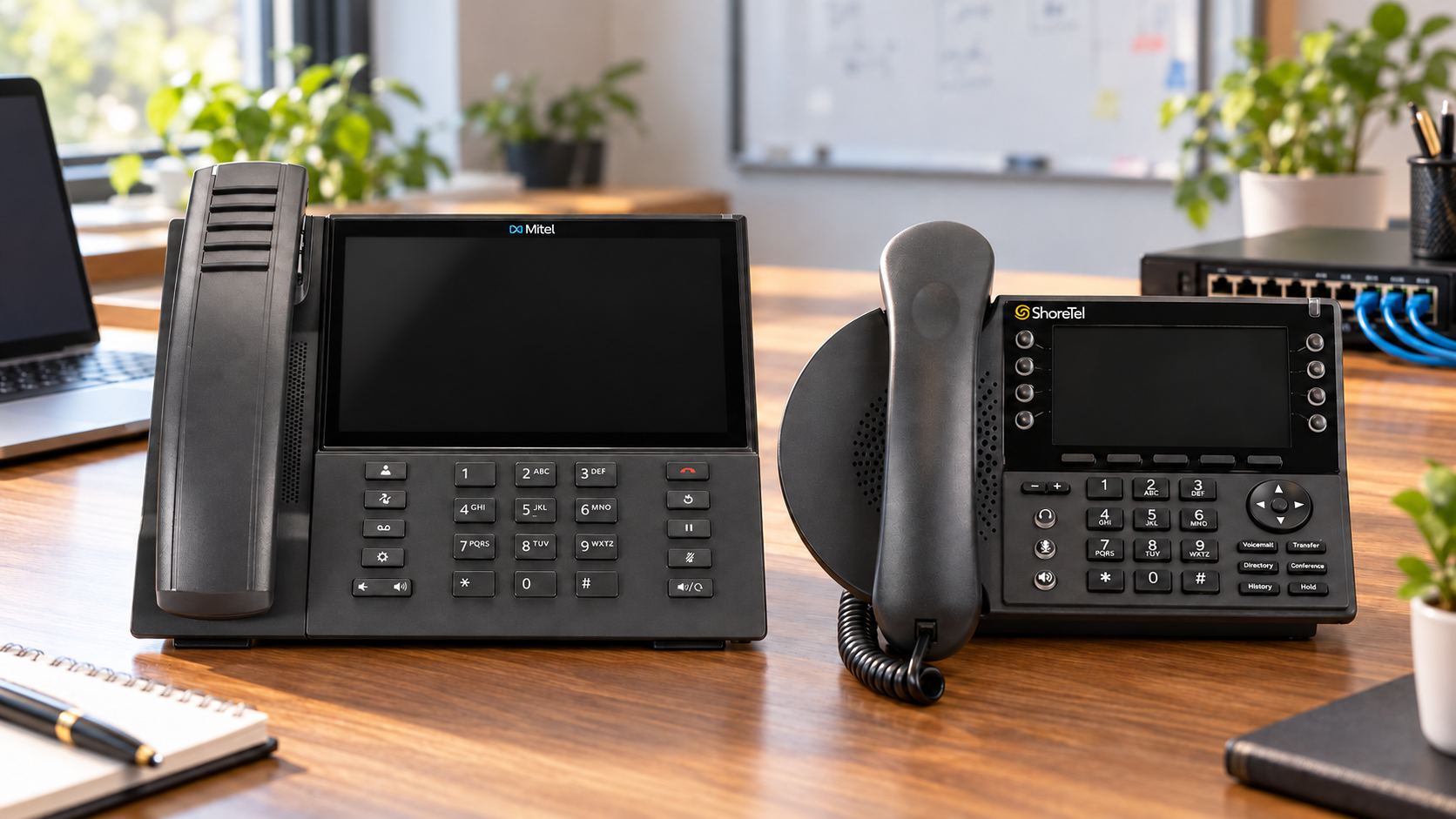
 Short answer: Some Mitel desk phones can be reused with RingCentral, but the words Mitel 6900 series on a quote or inventory are not enough to establish compatibility. Attempting to convert an unsuitable 6900 can leave the phone unusable. Check each phone’s exact model, set revision, firmware, current Mitel platform and provisioning route. A phone that works through RingCentral’s assisted setup can provide a different experience from an older phone configured manually for basic SIP calling. Mitel IP480, IP480g and IP485g phones have a separate migration path; an IP480 may work, but its aging monochrome display may make replacement the better choice for some users.
Reusing phones can reduce the upfront cost of a cloud migration. It can also introduce a support burden if hundreds of devices are assumed compatible before anyone reads their labels or tests them. HCWT recommends completing a phone-by-phone eligibility inventory and a small pilot before making a reuse commitment or submitting the number port.
“6900 series” is a family, not a compatibility guarantee
Mitel has sold several phones in the 6900 family, with different hardware revisions and software histories. A 6920, 6930 or 6940 might be running MiNET software on MiVoice Business, Mitel Connect software on MiVoice Connect or MiCloud Connect, or SIP software. The same model name can therefore require a different conversion and provisioning path. A supported model and a suitable hardware revision are only the beginning: the phone also has to be accessible, upgraded to appropriate firmware, assigned to a RingCentral user and tested on the customer’s network.
RingCentral publishes these minimum set revisions for assisted provisioning of three common models:
| Model | Original revision, no letter | A revision | B revision | C revision |
|---|---|---|---|---|
| Mitel 6920 | 30 or higher | A30 or higher | Any B revision | All C revisions |
| Mitel 6930 | 27 or higher | A27 or higher | Any B revision | All C revisions |
| Mitel 6940 | 21 or higher | A21 or higher | Any B revision | All C revisions |
For example, a 6940 REV B05 qualifies on revision for assisted provisioning, while a 6940 REV A20 does not. That comparison is about the phone’s ability to use RingCentral’s assisted setup, not a promise that every B05 phone will register successfully. The exact model, firmware, previous platform, account and network still need to be verified. RingCentral also lists 6905, 6910 and 6970 in its revision table, but model availability and the intended provisioning path should be confirmed for the specific account. Source: RingCentral’s Mitel hardware requirements.
What if a 6900 phone is below the revision threshold?
Do not count it as an assisted-provisioning phone. RingCentral explains that some older Mitel sets lack the certificates required for assisted setup. Its alternative is manual SIP provisioning for an eligible, unlocked phone that can run the required SIP firmware. That route can support basic calling, but it is materially different from managed provisioning: RingCentral says manually provisioned sets do not receive automatic server or RingCentral firmware updates and do not support RingCentral Presence, the corporate directory or Paging and Intercom softkeys. The documented minimum SIP firmware for this manual route is 6.1.0.154 or later for 6800/6900 phones. Source: RingCentral’s manual BYOD Mitel provisioning guide.
That leaves three honest outcomes for an older 6900 set:
- Assisted provisioning: The exact model, revision and migration route qualify, and the phone passes a pilot.
- Manual SIP use after engineering approval: Assisted setup is unavailable, but the exact hardware and conversion path have been confirmed safe, and a pilot passes testing with the more limited feature set.
- Replacement: The hardware revision or conversion safety cannot be confirmed, the required workflow does not survive conversion, or the cost of keeping it exceeds its value.
Do not flash an older 6900 just to see whether it works. In HCWT's field experience, attempted firmware conversions on unsuitable 6900 hardware have left phones unusable: the sets were bricked, not merely missing a RingCentral feature. RingCentral's revision table screens for assisted provisioning; it is not a blanket certification that a firmware conversion is safe. A revision below its assisted-provisioning threshold should be marked hold for engineering review or replace, not placed in a bulk conversion batch. RingCentral describes a manual SIP route for some older phones, but that documentation does not guarantee that every older hardware revision can safely take a particular conversion image. Mitel's MiVoice Connect 19.1 release notes also call for confirming the appropriate 6900 part number before converting MiNET firmware to SIP. We would pursue manual SIP use only when the exact model, set revision, date code, part number, starting firmware and applicable conversion instructions have been confirmed and a single pilot phone has been tested.
A phone’s ability to place a test call is not the same as full feature compatibility. This distinction matters for receptionists, queue agents, supervisors and anyone who relies on keys, presence, directories, expansion modules or headsets.
Check the existing Mitel platform before choosing a conversion guide
The migration process differs between MiVoice Business, MiVoice Connect and MiCloud Connect. RingCentral’s published MiCloud Connect 6900 admin guide expressly applies to that source platform and not to other Mitel platforms. It specifies supported 6900 phones on firmware 6.1.0.187, along with account setup, MAC address assignment, network access and removal of old provisioning redirects. Its 6.1.0.187 prerequisite should not be confused with the 6.1.0.154 minimum in RingCentral’s general manual SIP guide. Source: RingCentral’s MiCloud Connect 6900 migration guide.
A team migrating phones from MiVoice Business or MiVoice Connect should identify the actual firmware and supported conversion path for those sets rather than applying the MiCloud Connect instructions to every 6900. Old DHCP, DNS or configuration-server settings can send a converted phone back toward its previous system. Phones also may be locked or have an unknown administrator password. HCWT verifies these conditions with sample devices before specifying how many existing sets can be retained.
What about ShoreTel and Mitel IP400 phones?
RingCentral publishes a separate migration process for MiVoice Connect IP400 phones. Its guide says the IP480, IP480g and IP485g models are the initial supported IP400 migration candidates, including older units. The process moves the phones through an intermediate firmware image to RingCentral-compatible firmware. RingCentral warns that, once the final firmware is installed, the documented process does not offer a way to revert the phone to MiVoice Connect firmware. That is another reason to complete design and testing before converting a production fleet. Source: RingCentral’s MiVoice Connect IP400 migration guide.
Be candid about the IP480. An IP480 may migrate and make calls, yet the older monochrome screen offers limited visual resolution and a dated interface compared with a newer desk phone. Mitel lists the IP480g’s display at 297 × 160 pixels, monochrome; the IP485g has a 480 × 272 color display. For a common-area or occasional-use location, reusing an IP480 may be reasonable. For a receptionist, supervisor or frequent caller who depends on readable status and easy navigation, we would compare its day-to-day experience with a newer RingCentral-compatible phone before promising the IP480 as the permanent solution. The fact that conversion is possible does not make replacement an unnecessary expense. Source: Mitel’s IP400 phone specifications.
How HCWT determines which phones to keep
The useful output of an assessment is a per-device decision, not a single statement that “all Mitel phones can be reused.” HCWT checks:
| Inventory field | Why it matters |
|---|---|
| Model, hardware set revision, date code and part number | Screens the set before any firmware conversion and determines the applicable RingCentral assisted-provisioning path. |
| Current system and phone firmware | Identifies the right conversion procedure and firmware prerequisites. |
| MAC address and assigned user | Allows the specific phone to be assigned and tested in RingCentral. |
| Administrator access and provisioning settings | Reveals locks or old settings that may block migration. |
| Role and required features | Determines whether basic SIP calling is sufficient or a new phone is justified. |
| Headset, sidecar and network requirements | Identifies accessories and connectivity that need separate testing. |
| Pilot result and final decision | Records reuse with assisted setup, reuse with manual SIP, or replace. |
We then configure the RingCentral environment, assign temporary numbers and pilot representative phones before the production number port. The pilot should check inbound and outbound calls, caller ID, voicemail, hold and transfer, keys, directories, headsets, paging, emergency calling and any department-specific workflows. A device that fails a required workflow moves to the replacement budget. Only after the platform, phones and critical call flows are ready should the final port and departmental cutover be scheduled.
HCWT supports existing Mitel systems while planning and implementing RingCentral migrations. Our work with the City of Cheyenne and School District 49 reflects experience on both sides of that transition. If you are evaluating a move, send us the phone-model inventory and a sample of set revisions. We can identify what is likely to be reusable, test the uncertain cases and provide a realistic phone budget alongside the complete PBX-to-cloud migration plan.
Frequently asked questions
Can every Mitel 6920, 6930 or 6940 move to RingCentral?
No. The model alone does not establish eligibility for assisted provisioning. Check the set revision and current software, then test the actual phone. Older revisions must be screened before any firmware conversion. Some may support a separately verified manual SIP path with fewer features; others should be replaced. HCWT has seen an unsuitable firmware conversion leave a 6900 phone unusable.
Does a Mitel 6940 REV B05 qualify?
RingCentral’s published revision table accepts any B revision of the 6940 for assisted provisioning. A B05 therefore passes that hardware-revision check. It must still pass firmware, provisioning, account, network and feature testing.
Can a Mitel 6900 below RingCentral’s assisted-provisioning threshold still make calls?
Possibly, but do not try a firmware conversion on an unverified set. RingCentral documents manual SIP provisioning for some older unlocked Mitel phones, with feature and update limitations. HCWT has seen failed conversions leave unsuitable 6900 hardware unusable. Verify model, revision, date code, part number and starting firmware, then test an approved conversion path on one sample phone before counting any older units as reusable.
Can we migrate an IP480 or IP480g?
RingCentral’s MiVoice Connect IP400 migration guide includes IP480 and IP480g among the initial supported models. The migration path should be tested, and the limited monochrome display should be considered when deciding whether to keep the device.
Should we port our numbers before testing the reused phones?
No. Build and test the RingCentral system with temporary numbers first, including representative reused phones and the critical call flows. Coordinate the number port after the customer has accepted the design and cutover plan.
Contact us if you need more information.
This blog post was authored by JIm Whitfield