
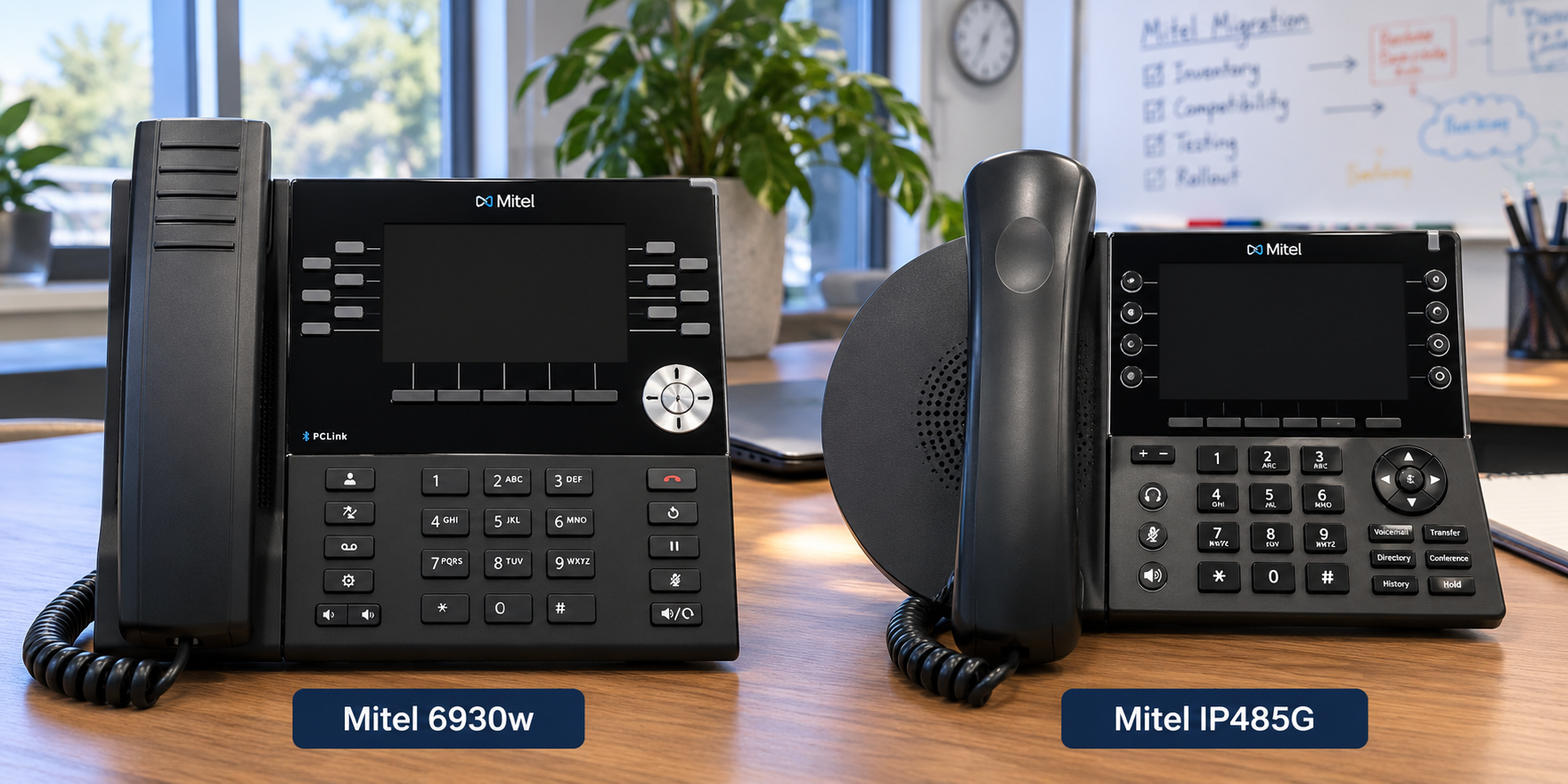
 If your organization is running Mitel MiVoice Connect and considering a migration to Mitel MiVoice Business, one of the first questions you may ask is:
Can we keep our existing Mitel phones?
In many cases, the answer is yes — but there are some very important qualifications.
Organizations with hundreds or even thousands of Mitel desk phones may have a significant investment in their existing endpoints. Reusing compatible phones can substantially reduce the upfront cost of a MiVoice Business migration.
However, not every Mitel phone used with MiVoice Connect has the same migration path.
The model, hardware revision, firmware, required features, and condition of the phones should all be evaluated before assuming that an existing phone can be reused.
The Short Answer
For organizations migrating from MiVoice Connect to MiVoice Business:
Mitel IP480, IP480g and IP485g phones can potentially be reused. Mitel has published an interoperability guide specifically describing how these IP48x phones can be configured on MiVoice Business as Generic SIP phones.
Mitel IP420 and IP420g phones are not supported by that interoperability solution.
Mitel 6900-Series phones may also present an excellent reuse opportunity, but they require more careful evaluation. The exact model, hardware revision and firmware need to be identified before developing a migration plan.
That means organizations should not assume that every phone currently connected to MiVoice Connect can simply be moved to MiVoice Business.
Can I Use an IP480, IP480g or IP485g with MiVoice Business?
Yes.
This is an important development for organizations considering a MiVoice Connect-to-MiVoice Business migration.
Mitel has published an IP48x Desktop Phone and MiVoice Business Interoperability Guide that specifically identifies these supported models:
- Mitel IP480
- Mitel IP480g
- Mitel IP485g
The phones are configured on MiVoice Business as Generic SIP Phones.
That distinction is important.
The IP480 family does not become a native MiVoice Business phone simply because it is connected to MiVoice Business. There can be differences in provisioning, features, button behavior and overall user experience compared with phones designed specifically for MiVoice Business.
Organizations should therefore evaluate not only whether an IP480-series phone can be reused, but whether it provides the features and experience required by that particular user.
What About the Mitel IP420 and IP420g?
These are different.
Mitel's IP48x interoperability documentation specifically identifies the IP420 and IP420g as unsupported.
Organizations with a mixture of IP420 and IP480-family phones should therefore perform a complete endpoint inventory before calculating how many phones can be retained.
A MiVoice Connect system with 500 phones, for example, should not automatically be treated as having 500 reusable phones.
The actual number could be substantially different once the models are identified.
What About Mitel 6900-Series Phones?
The Mitel 6900 Series requires a different discussion.
MiVoice Connect environments may contain phones such as the:
- Mitel 6910
- Mitel 6920
- Mitel 6930
- Mitel 6940
These phones were deployed on MiVoice Connect with software appropriate for the Connect platform.
MiVoice Business also has a long history of supporting Mitel's enterprise desktop phone architecture, making certain 6900-Series phones potentially valuable assets during a MiVoice Business migration.
However, do not assume that every MiVoice Connect 6900-Series phone can simply be factory-reset and connected to MiVoice Business.
The hardware revision and firmware history of the phone matter.
Hardware Revision Matters on 6900-Series Phones
This is one of the most important parts of planning the migration.
Two Mitel 6900-Series phones that look identical from the outside may not necessarily have identical hardware revisions or firmware histories.
Before attempting a conversion, HCWT recommends documenting at least:
Model → Hardware Revision → Current Firmware → Target Platform → Required Features
This should be done before performing firmware changes across an entire fleet.
Do Not Start by Reflashing Hundreds of Phones
A bulk firmware conversion should not be the first step in a MiVoice Connect-to-MiVoice Business migration.
Instead, select representative phones from the existing environment.
For example, if the organization has:
- 150 Mitel 6920 phones
- 200 Mitel 6930 phones
- 75 Mitel 6940 phones
- 100 Mitel IP480g phones
- 25 Mitel IP485g phones
HCWT would first identify the hardware and firmware variations within each population.
Representative devices can then be tested against the target MiVoice Business environment.
Only after successful testing should a repeatable production migration procedure be developed.
Could Incorrect Firmware Damage a Phone?
Potentially, which is why firmware conversion should be approached carefully.
HCWT does not recommend downloading firmware and attempting to convert a large number of 6900-Series phones simply because the model number appears compatible.
The phone's hardware revision needs to be verified before determining the appropriate migration procedure.
This is particularly important when phones have been purchased at different times or acquired from multiple sources.
A customer may believe that it has 300 identical Mitel 6940 phones when the inventory actually contains multiple hardware revisions.
Testing representative devices before mass deployment reduces the risk of turning an endpoint-reuse strategy into an endpoint-replacement project.
Should I Keep My IP480 Phones If They Work?
This is a different question from whether you can keep them.
An IP480 or IP485 may technically be capable of operating with MiVoice Business, but an organization should consider the age of the phone and the desired user experience.
For some users, retaining the existing phone may make perfect sense.
Examples might include:
- Break rooms
- Warehouses
- Common areas
- Utility locations
- Light-use offices
- Basic administrative users
For executives, receptionists, contact-center users or employees who depend heavily on programmable features, a newer MiVoice Business endpoint may provide a better experience.
This creates another migration strategy that organizations sometimes overlook.
You Don't Necessarily Have to Replace Every Phone at Once
Phone reuse does not have to be an all-or-nothing decision.
An organization could potentially migrate to MiVoice Business while retaining hundreds of compatible existing phones and replacing endpoints gradually.
For example:
Phase 1: Migrate the communications platform and reuse compatible phones.
Phase 2: Replace phones for users requiring advanced functionality.
Phase 3: Replace older common-area and basic-use phones over time.
This can spread endpoint replacement costs across multiple budget cycles.
For a school district, municipality, county government, university or large commercial organization, that can significantly change the economics of a MiVoice Business migration.
Endpoint Reuse Can Change the Migration Business Case
Consider an organization with 800 existing Mitel phones.
If 600 of those endpoints can reasonably be retained, the organization may only need to purchase 200 phones during the initial migration.
That can materially reduce the upfront project cost.
This is why HCWT recommends completing an endpoint inventory before comparing migration options.
The question shouldn't simply be:
"How much does MiVoice Business cost?"
A better question is:
"What parts of our existing Mitel investment can we preserve?"
What Should Be Included in a Mitel Phone Inventory?
Before planning a migration from MiVoice Connect to MiVoice Business, collect:
Phone model
IP420, IP480, IP480g, IP485g, 6910, 6920, 6930, 6940, etc.
Quantity
How many of each model are installed?
Hardware revision
Particularly important with 6900-Series endpoints.
Current firmware
Determine what software is currently installed.
User type
Executive, receptionist, contact center, standard office, common area, warehouse, classroom, etc.
Required features
Programmable keys, Bluetooth, expansion modules, headset support, directory access, paging, hot desking and other requirements.
Once that information is available, a much more accurate endpoint-reuse strategy can be developed.
What HCWT Recommends
HCWT recommends treating endpoint reuse as a formal part of the MiVoice Connect migration assessment.
Before converting the production environment:
- Inventory the existing phones.
- Separate the phones by model and hardware revision.
- Identify the current firmware.
- Determine which models have a supported MiVoice Business path.
- Select representative phones for testing.
- Configure a MiVoice Business test environment.
- Validate registration, calling and required features.
- Document the conversion procedure.
- Test the procedure on a small production pilot group.
- Only then begin large-scale endpoint conversion.
This approach is considerably safer than discovering endpoint compatibility problems during the production cutover.
MiVoice Business vs. Cloud Migration
Organizations running MiVoice Connect should also consider the larger question.
Is MiVoice Business the right destination, or should the organization move to a cloud communications platform?
For some organizations, MiVoice Business may be an excellent choice, particularly when there is an existing investment in Mitel infrastructure, applications and compatible endpoints.
Other organizations may decide that this is the appropriate time to migrate from MiVoice Connect to a cloud platform such as RingCentral.
Phone reuse can be a factor in either decision, but it should not be the only factor.
HCWT works with organizations to evaluate both approaches.
The Bottom Line
Yes, some Mitel MiVoice Connect phones can be reused when migrating to MiVoice Business.
Mitel specifically documents MiVoice Business interoperability for the IP480, IP480g and IP485g, which operate as Generic SIP phones.
The IP420 and IP420g are not supported under that interoperability solution.
The Mitel 6900 Series may also provide substantial reuse opportunities, but organizations should verify the exact model, hardware revision and firmware before developing a conversion plan.
Most importantly:
Do not assume that because a Mitel phone works on MiVoice Connect, it can automatically be moved to MiVoice Business.
A phone inventory and controlled test should be completed before making that promise — or building the migration budget around it.
Frequently Asked Questions
Can a Mitel IP480 work with MiVoice Business?
Yes. Mitel documents the IP480 as a supported IP48x model for use with MiVoice Business as a Generic SIP phone.
Can a Mitel IP480g work with MiVoice Business?
Yes. The IP480g is included in Mitel's IP48x interoperability documentation for MiVoice Business.
Can a Mitel IP485g work with MiVoice Business?
Yes. Mitel identifies the IP485g as supported for MiVoice Business interoperability as a Generic SIP phone.
Can a Mitel IP420 or IP420g work with MiVoice Business?
Mitel's IP48x interoperability documentation identifies the IP420 and IP420g as unsupported.
Can I reuse Mitel 6900-Series phones when migrating from MiVoice Connect to MiVoice Business?
Potentially. The exact 6900 model, hardware revision and installed firmware should be verified before attempting a conversion. HCWT recommends testing representative phones before performing a large-scale migration.
Can I reuse a Mitel 6920, 6930 or 6940?
Potentially, but the model number alone is not enough to make that determination. Hardware revision, firmware and the target MiVoice Business configuration should be evaluated before conversion.
Do I need to replace every phone when leaving MiVoice Connect?
Not necessarily. A migration assessment may identify compatible phones that can be retained while other phones are replaced immediately or gradually.
Should I reflash my Mitel 6900 phones myself?
HCWT recommends against performing bulk firmware changes until the exact models, hardware revisions and existing firmware have been identified and representative phones have been successfully tested.
Is MiVoice Business the only migration option for MiVoice Connect?
No. Organizations can evaluate MiVoice Business as well as cloud communications platforms such as RingCentral. The best approach depends on existing equipment, required functionality, budget, applications and long-term communications strategy.
Please contact us if we can help.
This blog was authored by Jim Whitfield.